Film Pre-Production Software: An AD's Honest Comparison
The AD Role
Movie Magic set the standard. StudioBinder put it in a browser. Now AI-native tools are showing up too. Here is what each one actually does, what it costs, and where AD PrePro fits, including what it does not do yet.
Movie Magic Scheduling has been the industry standard for about 30 years. StudioBinder moved the same job into a browser. Now a wave of AI-native tools, AD PrePro included, are trying to do the breakdown and the scheduling for you. None of them do everything, and the comparison pages that already exist online are written by the vendors themselves.
Full disclosure up front: I built AD PrePro, and I worked as an AD before that. Both of those things are true at once, and I'm not going to pretend the second one cancels out the bias in the first. What I can do is tell you exactly what each tool costs, what it does, and what it doesn't, sourced from their own pricing and feature pages, not marketing copy.
This post compares Movie Magic Scheduling, StudioBinder, the AI-native entrants (Filmustage, Yamdu, Gorilla Scheduling, Celtx), and AD PrePro, on the things that actually matter for the job: does it break down a script, does it build a schedule that respects real constraints, does it output a call sheet and a DOOD, and what does it cost you at the size you're actually working.
What "Pre-Production Software" Actually Needs to Do
Every tool in this category claims to handle pre-production. Most of them handle a slice of it and call the slice the whole job. Before comparing prices, it helps to name what the job actually requires, in the order an AD does it.
- Script breakdown: tagging cast, props, wardrobe, vehicles, stunts, and effects, scene by scene
- Constraint-aware scheduling: a board that respects cast holds, location hours, day length, and turnaround, not just a drag-and-drop grid
- Day Out of Days: a cast-by-days grid with the standard work codes, not a separate spreadsheet you keep in sync by hand
- Call sheets and sides: distributable, industry-format paperwork generated from the schedule you already built
- Risk flags: meal penalties, forced calls, and union-rule violations surfaced during prep, not discovered on the day
Every tool below does some of this. None of them, including AD PrePro, does all of it without a gap. Here's where each one actually sits.
Movie Magic Scheduling: the Industry Standard, on a Desktop
Movie Magic Scheduling (Entertainment Partners) is the tool most working ADs learned on. It generates stripboards, Day Out of Days reports, and a wide range of production reports from a script you've already tagged, and it is genuinely deep at that one job.
It's still a desktop application for Mac and Windows, priced around $86 a month (or a discounted annual plan) as its own subscription, separate from Movie Magic Budgeting, which is a different product with its own license. A 2026 update added a multi-user layer that syncs schedule files between installed copies, but each collaborator still needs their own local install and license. That's file-sync, not two people editing the same board at the same time.
Movie Magic Scheduling doesn't do script breakdown from a raw PDF or Final Draft file on its own. You tag elements by hand (or export a highlighted .fdx from Final Draft) and import the tagged file. It also doesn't generate call sheets natively. Most productions still export from Movie Magic and build the call sheet somewhere else.
StudioBinder: the Modern Generalist
StudioBinder is what most people mean when they say a "modern" alternative to the desktop tools. It's fully browser-based, and it's the strongest of this group at polished, shareable paperwork: call sheets that auto-pull weather and maps, shot lists, storyboards, and contact sheets that look good enough to hand a client without editing.
Pricing runs from a free plan (capped at one project and a limited shot count) up through Starter, Indie, Professional, and Agency tiers, roughly $42 to $229 a month depending on team size and features. StudioBinder has added AI-assisted script tagging that scans a script and auto-tags elements in seconds, syncing them into the schedule and reports, so the "AI breakdown" gap it used to have is closing.
Where it stays lighter is the scheduling intelligence underneath the polish. Its stripboard is a real drag-and-drop board, but it does not appear to enforce hard scheduling constraints (cast holds, turnaround, location hours) or flag union-rule violations the way a dedicated labor engine does. It's built to organize and share a plan, more than to catch the plan that's about to break.
The AI-Native Wave: Filmustage, Yamdu, Gorilla, and Celtx
A second group of tools is worth an honest mention, because AI-assisted scheduling is a real, rising category now, not just a StudioBinder feature.
- Filmustage: a browser-based, AI-first tool with a genuinely useful free plan (manual breakdown, budgeting templates, call sheets, DOODs) and a Director's Cut plan around $49/month for full AI processing. The free plan throttles AI breakdown to a partial pass on your scenes; a coin-based usage system meters how much AI you can run per billing cycle even once you're paying.
- Yamdu: broader production-management coverage across departments (including transportation and accommodation), starting around $45/month per project. It covers more of a production than just AD prep, which is a strength for a bigger show and more than a lean AD team usually needs.
- Gorilla Scheduling: a desktop app for Mac and Windows sold as a one-time purchase (around $249) rather than a subscription. It covers script import, breakdown, stripboards, and call sheets, with an interface that reads as dated next to the browser-based tools.
- Celtx: strong as a writing tool, but production planning (breakdown, schedule, call sheets, budget) sits behind the Team plan, a three-seat minimum around $459 a year. The individual writer plans do not include it.
The Comparison, Side by Side
Here's the same information as a chart, so you can see starting price and the one thing each tool is actually built for, without reading six pricing pages yourself.
| Tool | Starting price | Best for |
|---|---|---|
| Movie Magic Scheduling | ~$86/mo (own subscription, separate from Budgeting) | A team already trained on the industry-standard desktop board |
| StudioBinder | Free (1 project) up to $229/mo | Polished, shareable call sheets, shot lists, and paperwork |
| Filmustage | Free (throttled AI) up to $49/mo | Browser-based AI breakdown on a usage-metered budget |
| Yamdu | ~$45/mo and up | Larger, multi-department productions, not just AD prep |
| Gorilla Scheduling | ~$249 one-time | A one-time desktop purchase with no recurring fee |
| Celtx | Team plan from ~$459/yr (3-seat minimum) | Teams that also want the screenwriting tool in the same account |
| AD PrePro | Free to start | One connected workflow: breakdown, schedule, DOOD, and call sheets, with union and turnaround flags built in |
Reference · Pre-Production Software
Which Tool Actually Fits Your Show
Where AD PrePro Fits, and Where It Does Not
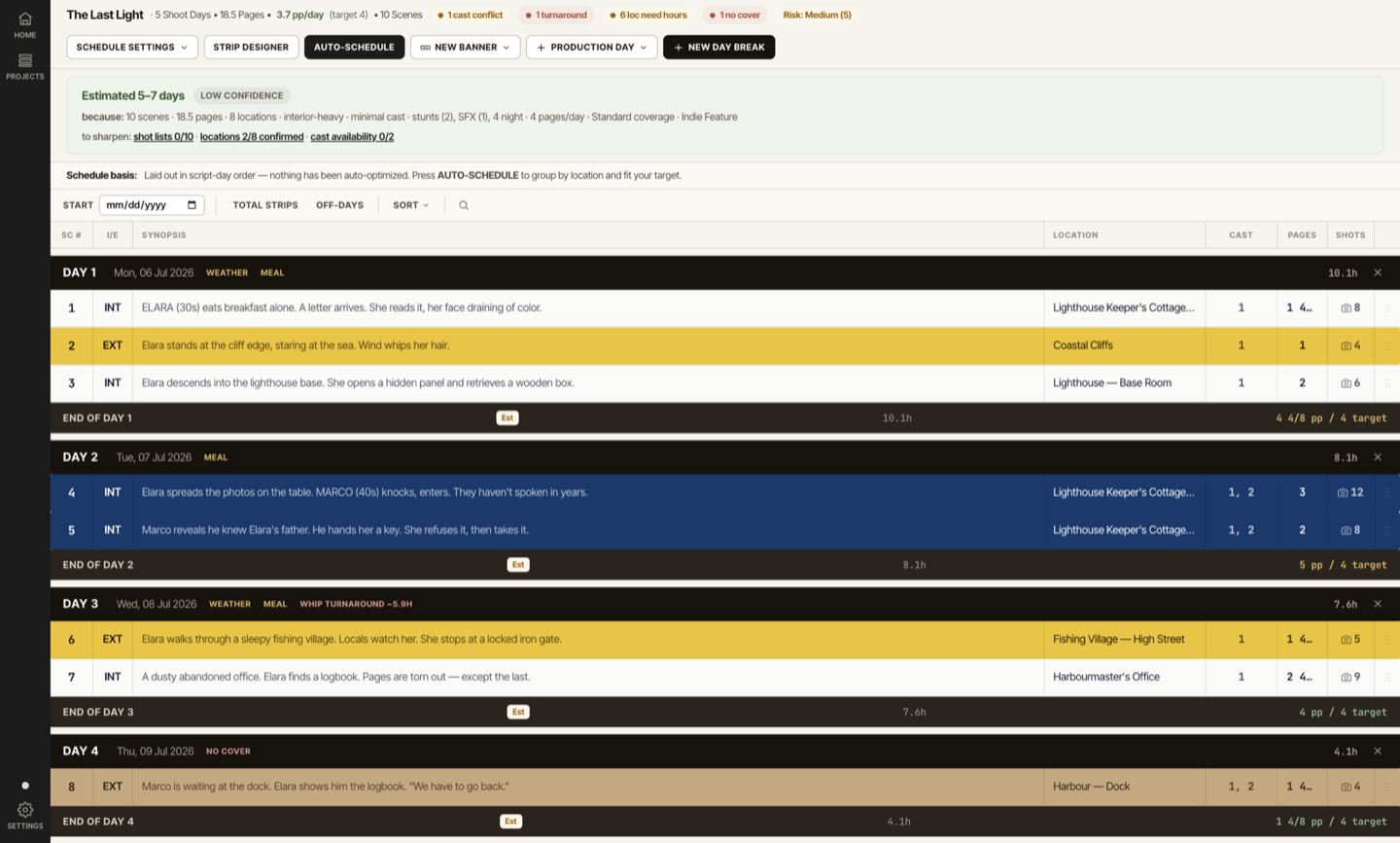
AD PrePro's pitch is the connected workflow: upload a script, get an AI-tagged breakdown, build a schedule that won't let you double-book a cast hold or blow a turnaround, generate the Day Out of Days and the call sheet from the same data, and see the union and weather risk flags before you're on set dealing with them.
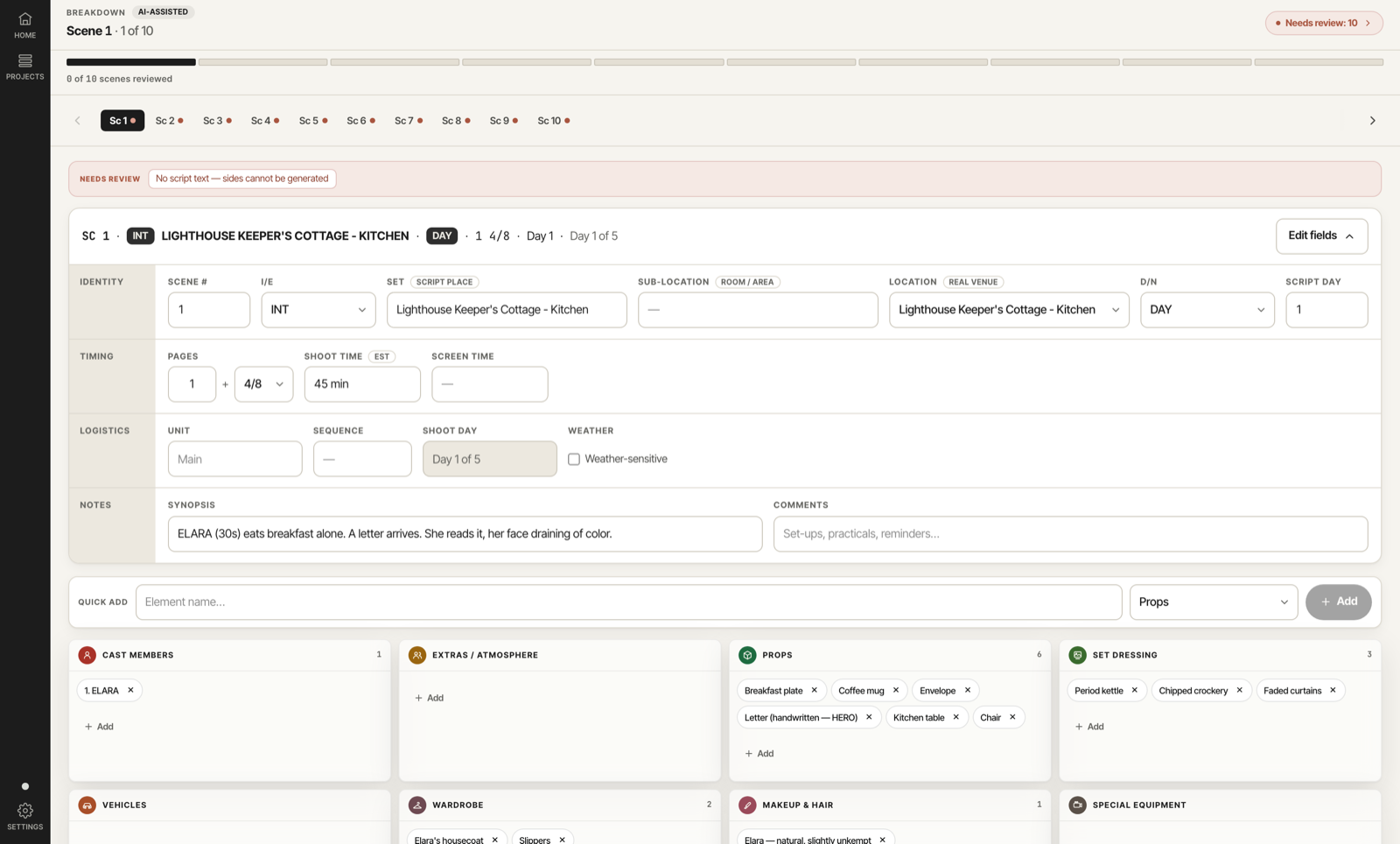
That connected workflow is real, and it's the thing none of the tools above do end to end. It is not the whole job, and pretending otherwise would waste your time evaluating it.
- No budgeting beyond a ballpark estimator. AD PrePro projects a rough cost from cast days, crew days, and location fees. It is not Movie Magic Budgeting, and it does not try to be.
- No direct calendar integrations. The schedule lives in AD PrePro; it does not push to Google Calendar or Outlook on its own today.
- No real-time, multi-user co-editing. You can see who else has the project open, but two people editing the same section at once still means last save wins, the same risk every tool in this comparison carries in some form.
How to Actually Choose
Feature lists don't tell you which tool fits your show. This is the order that actually settles it.
List your two or three non-negotiables
Not a wish list. The two or three things that would actually stop the tool from working for you: union flags, browser access, a real budget module, whatever it is.
Decide desktop vs. browser, honestly
A desktop tool your whole team already knows how to use beats a shinier browser tool nobody can open on set.
Run one real scene through the free tier
Not a demo script. Your actual script, with your actual writer's habits, before you trust a full breakdown to any tool.
Check what the price does at your real team size
A per-seat or per-project price that looks fine at one user can multiply fast once your 2nd AD and your UPM both need logins.
Ask what happens to your data if you cancel
Can you export your schedule, breakdown, and call sheets in a usable format, or does the work stay locked in the tool you just left.
Pre-Production Software FAQ
Is StudioBinder free? StudioBinder has a free plan, but it caps you at one project and a limited number of shots per project. For a real production, you'll likely need a paid tier, which runs roughly $42 to $229 a month depending on team size and features.
What's the difference between StudioBinder and Movie Magic Scheduling? Movie Magic Scheduling is a desktop app (Mac and Windows) that most working ADs trained on, deep at scheduling and Day Out of Days but light on call sheets and breakdown automation. StudioBinder is browser-based, strong at polished call sheets and shot lists, with AI-assisted tagging added more recently, but a lighter scheduling engine underneath.
Is there AI scheduling software for film? Yes. Filmustage and AD PrePro both use AI for the script breakdown pass, and StudioBinder has added AI-assisted tagging as well. None of them fully automate the scheduling judgment calls (constraint tradeoffs, which scenes to group), so expect a first pass you review and adjust, not a finished schedule.
Does AD PrePro replace Movie Magic Scheduling? For a team that wants breakdown, scheduling, DOOD, and call sheets from one connected workflow, it can. For a team that specifically needs Movie Magic's exact desktop scheduling depth and already owns the license, switching costs more than it saves.
What is the best free pre-production software? "Best" depends on what you need free. StudioBinder's free plan gets you one project of paperwork. Filmustage's free plan gets you manual breakdown and a partial AI pass. AD PrePro is free to start and includes the full connected workflow, breakdown through call sheet, without a project cap during the beta.
Do I need separate software for budgeting? Right now, mostly yes. Movie Magic Budgeting is the industry standard and is a separate product from Movie Magic Scheduling. AD PrePro includes a ballpark cost estimator, not a full budgeting tool, and neither StudioBinder nor Yamdu is positioned as a budgeting replacement either.
The Honest Bottom Line
There is no single best pre-production software, only the one that fits what your show actually needs this month. Movie Magic Scheduling still wins on raw scheduling depth if your team already knows it. StudioBinder wins on paperwork polish. Filmustage and AD PrePro are the honest AI-native options, and each has a usage limit or a feature gap you should know about before you build a schedule on top of it.
AD PrePro is built for the AD who wants the breakdown, the schedule, the DOOD, and the call sheet to come from the same script, with the union and turnaround flags already checked. It's not a budgeting tool and it doesn't sync to your calendar yet. If that tradeoff works for your show, start free and see for yourself before you take my word for it.