Day Out of Days Explained: DOOD Codes + Free Template
Scheduling
Your producer wants a DOOD before you've finished your coffee. Once you know the codes, cast down the side, days across the top, it takes ten minutes, not an hour.
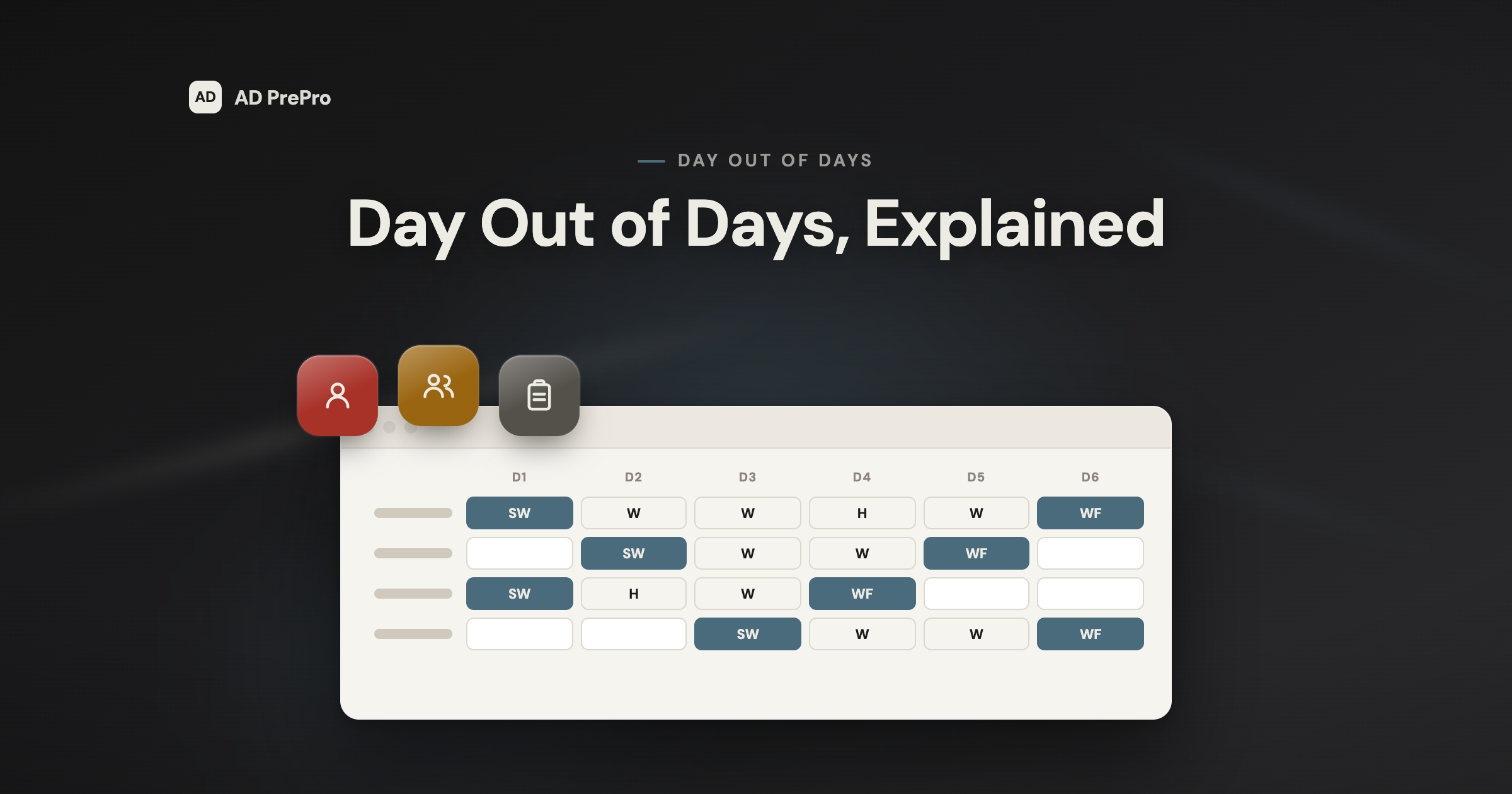
A Day Out of Days report is a grid. Cast down the side, shoot days across the top, one code in every box. That's the whole idea.
The part nobody explains fast enough is what the codes actually mean, and the difference between a day your actor gets paid to sit at home (a hold) and a day they don't (a drop). Guess wrong and you've either overpaid an actor or shorted one, and either one is a call from your UPM you don't want.
This guide covers every DOOD code you'll actually see, how to read a full row without translating it in your head, the hold-versus-drop line that costs real money, how to build one from your breakdown, and a free grid template to start from.
What a Day Out of Days Report Actually Is
A Day Out of Days report, DOOD for short, is a grid. Cast members down the side, shoot days across the top, one code in every cell that shows what that actor is doing that day. That is the whole shape of it.
It exists because a shooting schedule tells you what happens on a given day, not what you owe a given actor across the whole show. The DOOD is the document that turns "day 4 of 21" into "actor 3 has now worked 6 days, held 2, and is owed for 8." Payroll reads it. Casting reads it. Your UPM reads it before they read almost anything else you hand them.
On most productions the 1st AD owns the schedule and the 2nd AD builds and maintains the DOOD from it, because every code on the grid comes straight off the stripboard. Change the board and the grid underneath it should change too.
The DOOD Work Codes, Decoded
Every cell in the grid gets one of a small, fixed set of codes. Learn these and you can read any production's DOOD, because the letters don't change from show to show even when the software does.
| Code | Meaning |
|---|---|
| SW | Start Work: the actor's first day on the schedule |
| W | Work: a normal shoot day for that actor |
| WF | Work Finish: the actor's last day on the schedule |
| SWF | Start Work Finish: the actor's entire engagement is a single day |
| H | Hold: a paid non-work day inside the engagement window |
| T | Travel: a paid travel day, pulled from availability |
| R | Rehearsal or fitting: a paid day for prep, not shooting |
| I | Idle: an unpaid, dropped day, outside the paid window |
| · | Off-contract: before the start day or after the finish day, blank |
Two of those get people into trouble. Hold and idle both look like a gap in an actor's schedule, but one is paid and the other isn't. Code a DOOD headed to payroll with the wrong one and you've either overpaid someone or shorted them.
Reading One Row, Start to Finish
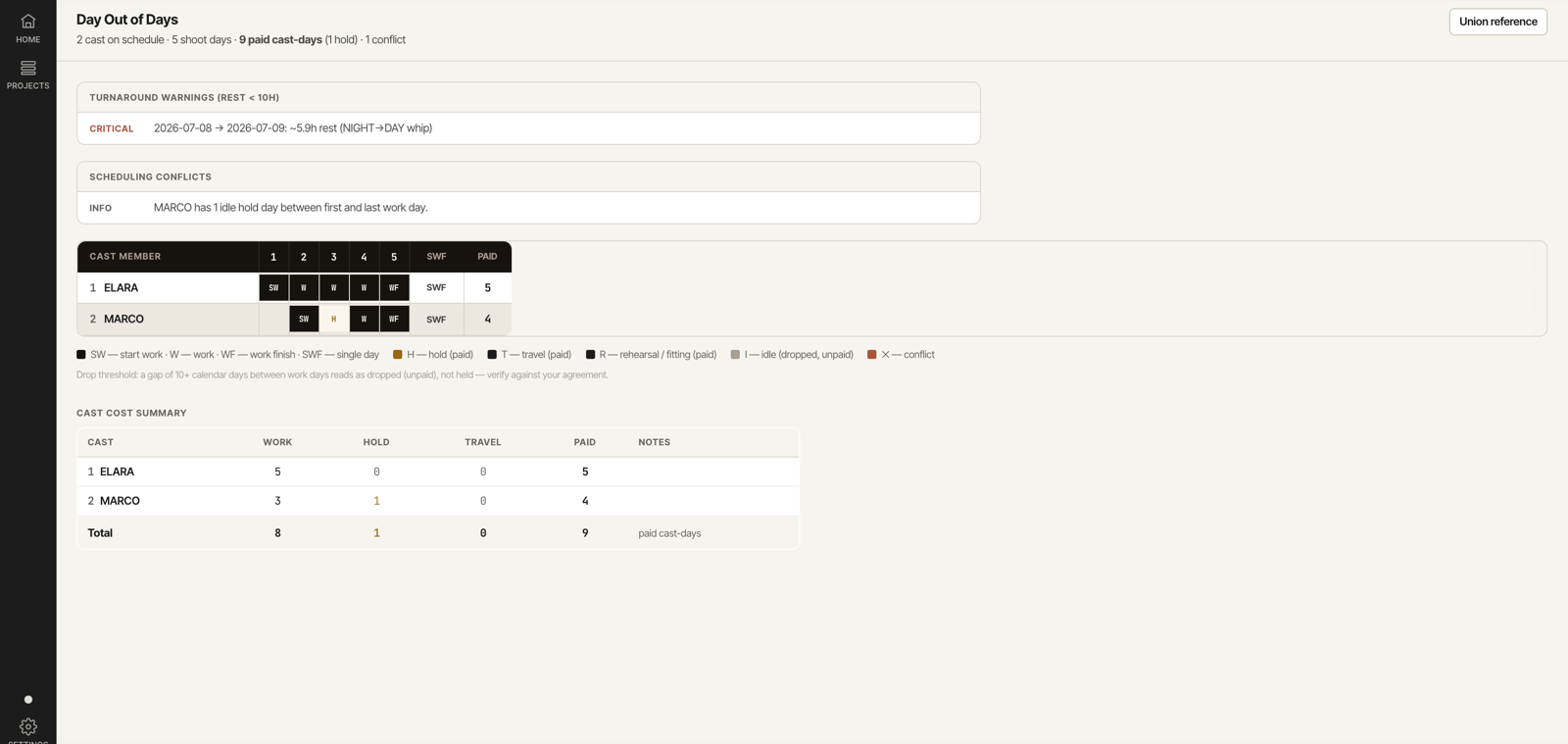
Here is one row pulled straight from a real DOOD grid: a supporting actor who is off-contract on Day 1, starts on Day 2, gets a paid hold on Day 3, works Day 4, and finishes on Day 5. Read it left to right and every code above stops being abstract.
Reference · Anatomy
One DOOD row, code by code
- 1Cast number & nameTies the row back to the cast list, the call sheet, and every other view that references this actor.
- 2Off-contract (blank or ·)Before the start day, the actor isn't booked yet. No code, no pay.
- 3SW · Start WorkThe actor's first work day. Their paid engagement begins here.
- 4H · Hold (paid)A non-work day inside the engagement window. The actor isn't shooting, but they're still being paid.
- 5W · WorkA normal shoot day for this actor.
- 6WF · Work FinishThe actor's last work day. Their paid engagement ends here.
- 7Paid days totalWork, hold, and travel days added together. This is the number payroll actually owes.
Hold vs. Drop: The Distinction That Costs Money
A hold day and a drop day both look like a gap in an actor's schedule. The difference is who pays for it.
A hold is a paid non-work day inside an actor's engagement: they aren't shooting, but they're still on contract and still getting a check. A drop is what happens when that gap runs long enough that production sets a firm pickup date and stops paying until the actor returns.
A hold day and a drop day look identical on the call sheet. They aren't identical on the check.
The DOOD is where that distinction has to be exact, because it's the document payroll works from. Code a hold as a drop and you've shorted someone's pay. Code a drop as a hold and you've paid for days you didn't have to.
How to Build a DOOD From Your Breakdown
You don't start a DOOD from a blank grid. You start it from work you've already done: the cast list from your breakdown and the day-by-day order from your stripboard.
Pull your cast list from the breakdown
Every named speaking role your breakdown tagged becomes a row. Number them the way your call sheet already does, so the two documents match.
Lay your shoot days across the top
One column per shoot day, in schedule order, straight off the stripboard. If the board moves, the grid moves with it.
Mark every day each actor appears
Start (SW), Work (W), and Finish (WF) come straight from which days that cast number shows up on the board. A single-day player gets SWF.
Fill the gaps between work days
A short gap is a paid hold (H). A gap long enough to trigger a firm pickup is an unpaid drop (I), with nothing owed until the return date.
Total the paid days per actor
Add work, hold, and travel days together. That total, not the shoot length, is what payroll actually owes.
- Every speaking role from the breakdown has a row
- Every shoot day from the stripboard has a column
- Hold and drop days are coded correctly, not guessed
- Paid-day totals reconcile with the budget
Where the DOOD Feeds Into the Rest of Your Prep
The DOOD doesn't stand alone. It shares a cast list with your breakdown, a day count with your stripboard, and a turnaround check with the turnaround math that flags a whip turnaround before it becomes a forced call.
Change a scene's schedule and the DOOD should move with it. If it doesn't, you aren't looking at the current DOOD, you're looking at last week's guess with this week's date on it.
Free DOOD Grid Template
If you're building a DOOD by hand, start from a real grid instead of a blank spreadsheet. Lay your cast numbers down the side, your shoot days across the top, and use the code table above to fill it in, the exact structure a payroll coordinator expects to see.
It's the same grid the software builds automatically, so if you move from a spreadsheet to a tool later, the codes and the layout don't change. Only the hours you spend building it do.
Day Out of Days FAQ
Who creates the Day Out of Days report? On most productions the 2nd AD builds and maintains the DOOD, working from the schedule the 1st AD owns. On a smaller show, one AD does both jobs.
What's the difference between a hold day and a drop? A hold is a paid non-work day inside an actor's engagement, the gap is short enough that they stay on contract. A drop is unpaid: the gap is long enough that production sets a firm pickup date and the actor is off the clock until then.
What does SWF mean on a DOOD? Start Work Finish. The whole engagement, start, work, and finish, happens inside a single shoot day. It is the code for a one-day player.
Is a DOOD the same as a call sheet? No. A call sheet is per day: everyone working today and their call times. A DOOD is per production: every cast member across every day of the whole shoot. They come from the same cast list but answer different questions.
How often should a DOOD be updated? Every time the schedule changes. A DOOD only means something if the day counts match the current board, so treat a schedule revision and a DOOD revision as the same action, not two separate ones.
Can AI build my DOOD automatically? Yes, from the schedule you've already built. AD PrePro generates the grid straight from your stripboard and flags turnaround and availability conflicts as they appear, so you're checking the calls instead of building the grid by hand.
Build the DOOD Once, Trust It All Show
You now know what separates a real Day Out of Days report from a spreadsheet of guesses: the codes read correctly, the hold-versus-drop line drawn where the agreement says it should be, and every paid day reconciled against the schedule that produced it.
AD PrePro builds the DOOD automatically from the schedule you already built, codes every cast member's status day by day, and flags turnaround and availability conflicts before they reach your producer's inbox. Build the schedule, and the grid is already done.